


Our house is small. We our living space is on one floor and our bedroom is right next to the kid’s room. This is great 99% of the time because we can always hear what our kids are up to- good or bad. This isn’t so great when you combine my love of getting up before my kids with my love of hitting the snooze button.
My alarm clock often wakes up my entire family, which completely ruins the point of getting up early in the first place.
Enter the TCL Pulse.
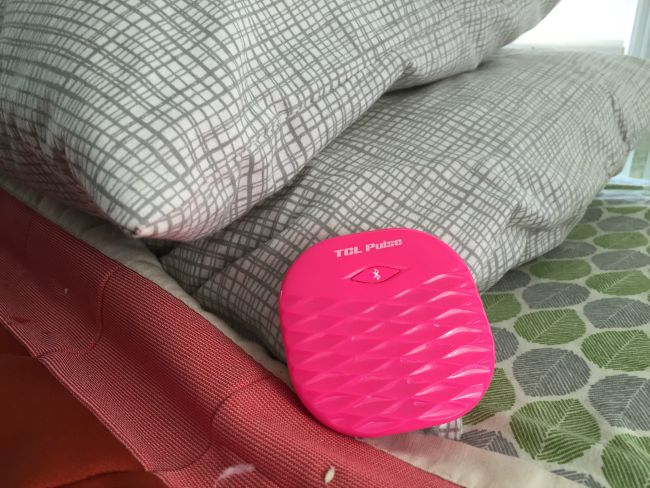
The TCL Pulse is a pocket sized alarm clock that works in conjunction with my iPhone’s Bluetooth and an app. You set the alarm via your phone and it vibrates or rings when the alarm goes off.
This has changed my morning loving world because it has a vibrate alarm feature. I no longer wake up to the sound of the alarm going off, but instead to the buzzing of the vibration.
I keep my TCL Pulse under my pillow and it is just perfect!
The TCL Pulse app has a really thoughtful design. In it, you can program multiple alarms to go off at multiple times and you can choose if you want an alarm to repeat daily or just a few days a week.
The reasons why you might set an alarm like this are endless, but here are a few practical uses I thought of:
• Reminder to take medicine
• Reminder for your child to practice his or her instrument
• Reminder for your child to do his daily chores
• Reminder to call your parents/grandparents
The app was really easy to set up. I have an iPhone and it was an easy download from the iTunes store. It was set up in a jiffy and very easy to get started with. My recommendation is to make sure you have your Bluetooth enabled before you try to sync the app with the TLC Pulse. Otherwise, it won’t work!
Buy: You can buy the TCL Pulse on their website. ARV $39.95


Connect: Connect with TCL Pulse on their social media channels.
Facebook | Twitter | Pinterest | Instagram

